
Where to reach us
Nearly everything happens in the support chat: account requests, namespace admin promotions, a pod that will not start, and cluster news. All NRP and Nautilus users are expected to join it.
- Support chat
Two front doors to the same rooms, and the Nautilus team is in both. Slack is one invite link away; Matrix takes a few minutes to set up and runs on the NRP's own homeserver.
Accounts, namespaces, hosted LLM access, or anything else. Slower than the chat, and the right choice when the details are not for a public room.
- Office hours
Bring a question to the NRP team live, on Zoom. Every two weeks.
in 11 days
- Community meeting
The weekly NRP technical call, open to anyone. The invite and the recordings go out on the mailing list below.
Every Thursday 10:00 AM Pacific · 1:00 PM Eastern
- Mailing list
Recordings from the weekly NRP community meeting and other announcements, sent to the
prp-llist. Send a blank email to ask the list owner to add you — no Google account needed.
Before you post
Two conventions in the chat rooms, both of which save you a round trip.
Set a display name we can place
Admins have to match a question to a person and an institution before they can act on it. Your name and where you are is enough:
Nautilus User (Institution)
Ask in the public rooms
Private messages to admins on Matrix are rejected. General support questions belong in a room where anyone who knows the answer can pick them up.
Setting up Matrix
Skip this if you joined through Slack. The NRP runs its own homeserver, so the Nautilus team supports accounts on it directly — and because Matrix is federated, the same account reaches other homeservers, IRC networks, and Gitter.
Create your account in a browser
- Open our web version of the Element client, which runs against the Nautilus homeserver and is fully supported by the Nautilus team. Plenty of people use the Matrix.org homeserver or another one instead — those work too, and are the better choice if you expect to use Matrix outside Nautilus, but we may not be able to help with problems on them.
- Choose Create Account, then pick a username, a password, and an email address.
- You end up with an account of the form
@username:matrix.nrp-nautilus.io, which can join rooms on any federated Matrix server, matrix.org included. - Click Explore rooms and check that you are exploring the NRP server,
matrix.nrp-nautilus.io. You join Nautilus General and News automatically. On any other homeserver, including matrix.org, join the NRP Matrix Space directly, or by address at#nrp:matrix.nrp-nautilus.io.
Back up your encryption key before you need it
In Element, go to User Settings → Security & Privacy and click Start using Key Backup. Without the backup, encrypted messages stay locked: a registered email address recovers your password, never your keys. Element's help pages go into the detail.
On a phone or desktop app
- Get the phone or desktop version of Element, or any other compatible client.
- Point it at the NRP homeserver: on the sign-in screen, click Change beside the server name and enter
https://matrix.nrp-nautilus.io.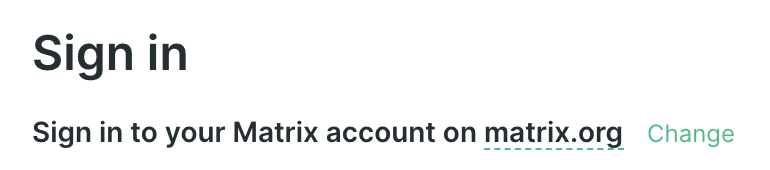
- Then follow the browser steps above from step 2.
Make yourself discoverable
So we can find you by email when an NRP account needs linking to a Matrix one, turn on the identity server integration. Your address is protected against harvesting and is only ever used to look up an account by someone who already knows the address.
- In Element, open Your Account → All Settings → Security & Privacy.
- Click Accept under the Privacy heading, then Continue.
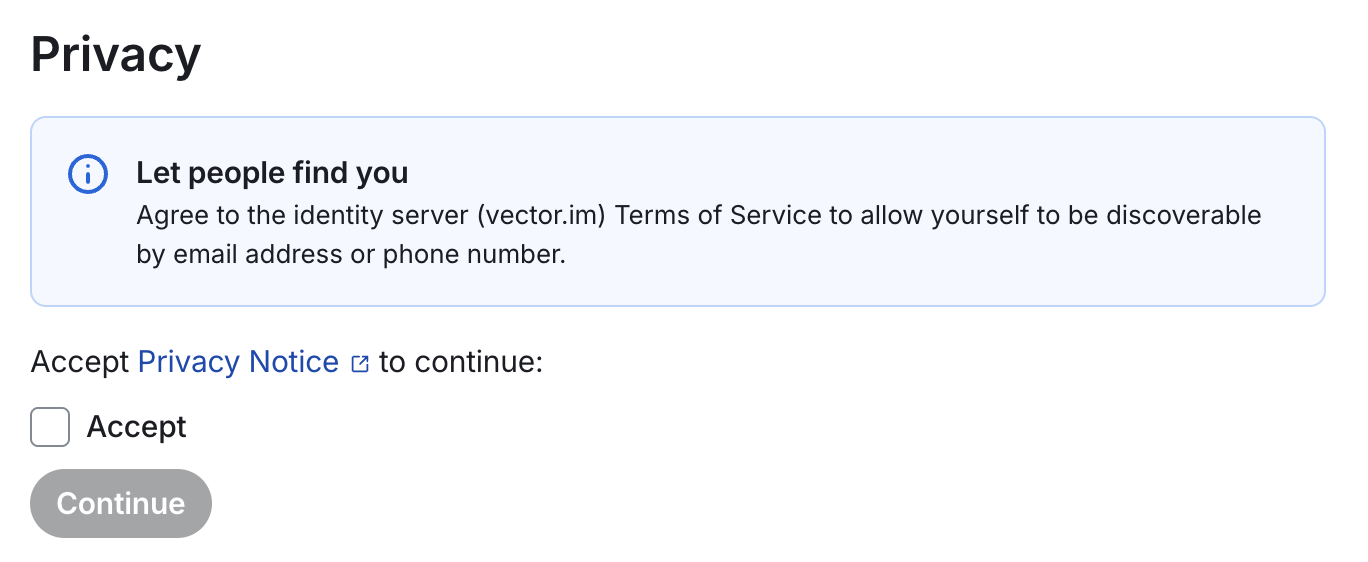
- Click Share for each address you want to be findable by.
Getting News by email
Registration puts you in the News channel already. To have it reach your inbox as well, open the channel in Element, click the channel icon at the top, then Settings → Notifications, and choose All messages.
Other clients, bridges, and help
- Another web client. Cinny does much the same job as Element in the browser.
- IRC and Gitter. The same Matrix account reaches the bridged IRC networks and any Gitter community. The IRC bridge is worth the setup on its own: your client keeps receiving IRC messages while you are offline, and notifies you when someone mentions you.
- The manual. Element publishes a full user guide.
- Registered on matrix.org by mistake? If your user ID looks like
@username:matrix.orgrather than@username:matrix.nrp-nautilus.io, sign in at app.element.io instead of the NRP Element — the account is still fine, it just lives elsewhere.
Not on the cluster yet?
Access is vouched, not self-serve: you log in through CILogon, then an admin validates you and adds you to a namespace. The support chat is where you ask for that.